“You are a professional secretary, please help me handle my work.”
About 80% of people type a sentence like this when first using a private AI secretary. The conversation begins, but stable output hasn’t. After a few rounds of interaction, the tone starts to drift, the answers become vague, and the suggestions look increasingly like copy-pasted paragraphs from internet articles, far from something you can directly use in your daily work.
The same meeting minutes require entirely different writing styles when submitted to a supervisor, shared with a cross-departmental contact, or used to organize your own to-do list. The common deviation of AI secretaries comes from one thing: it doesn’t know who this text is going to be handed over to, what function it assumes, and what sensitive areas need to be avoided.
For the rules you haven’t explicitly written down, the AI can only guess using general internet context. The cost of guessing wrong is that you have to spend more time correcting it, effectively losing the effort you originally wanted to save.
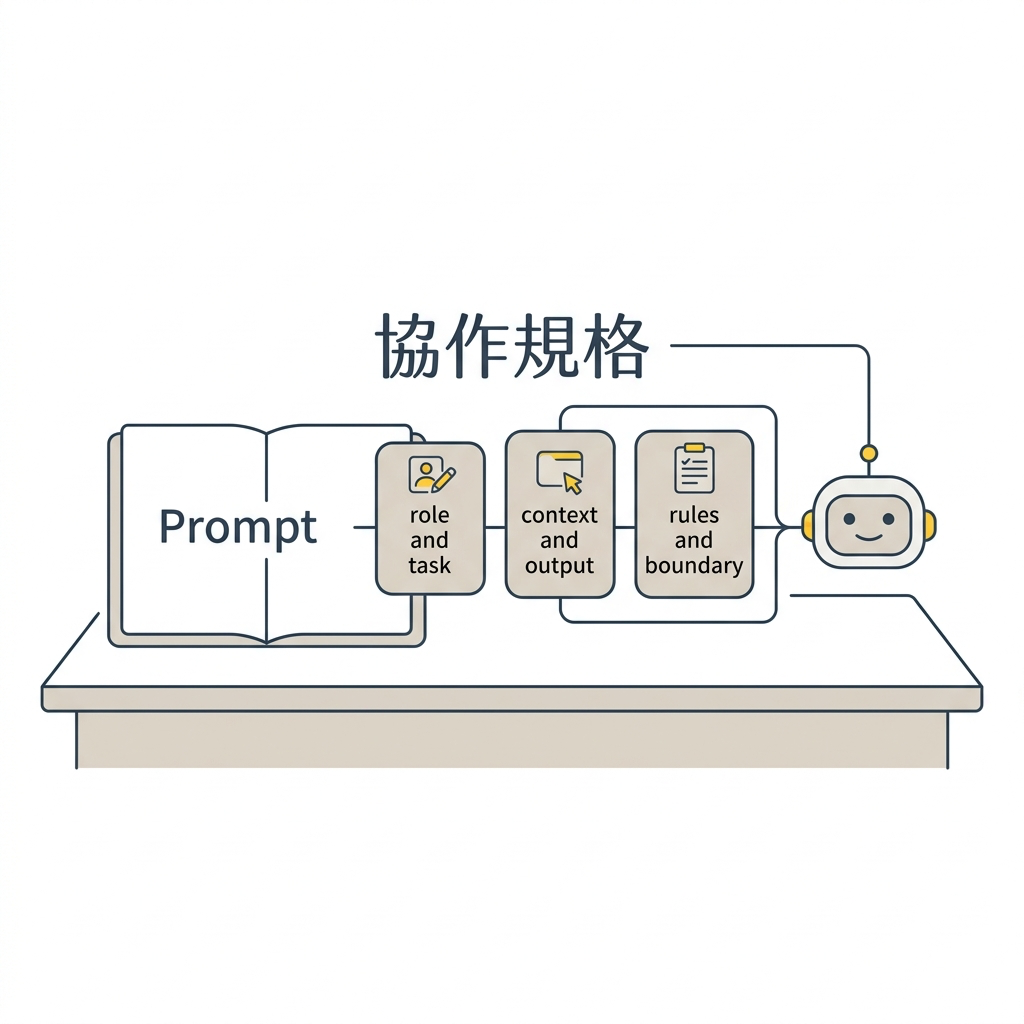
Therefore, treating the Prompt as a “collaboration spec”—less persona setting, more work boundaries—is the critical dividing line that turns AI from a chatting tool into a working assistant.
Three Things to Specify in a Collaboration Spec
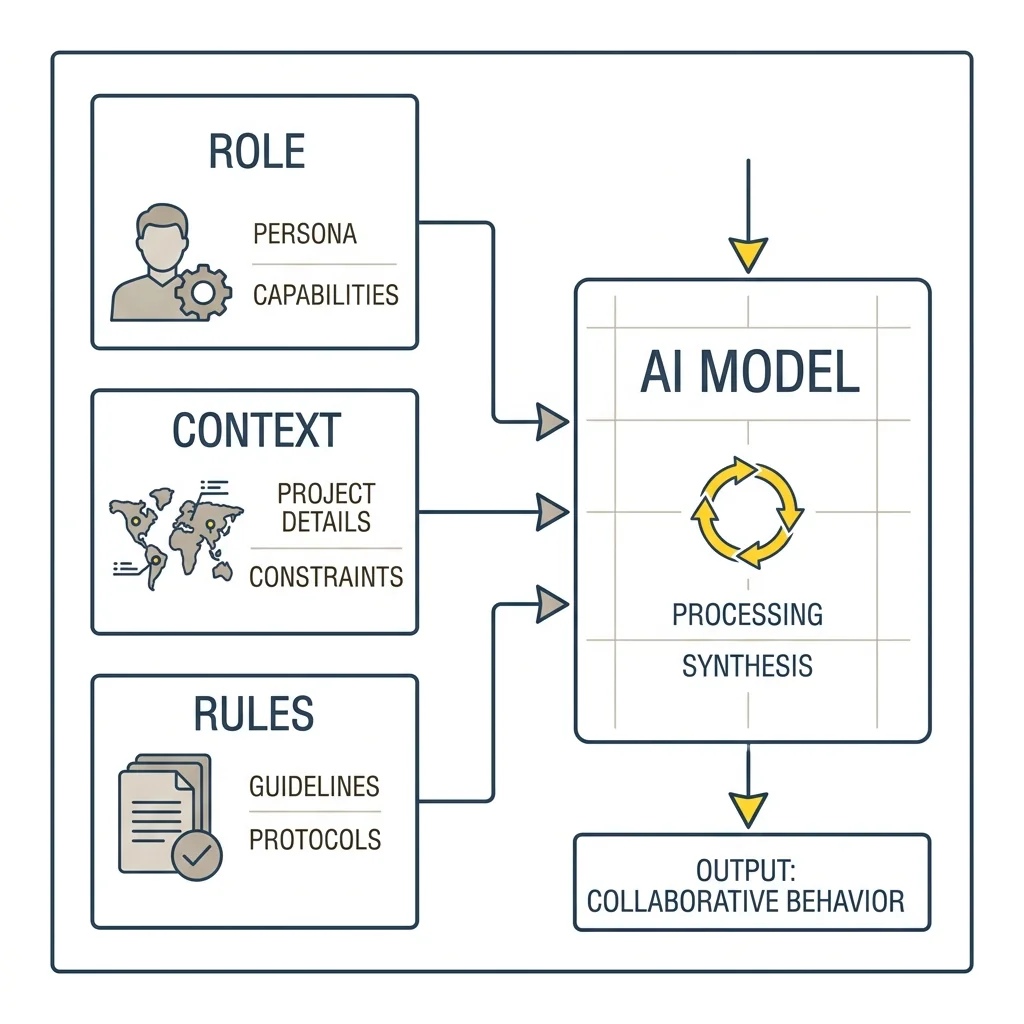
A collaboration spec that enables AI to stably take over work must address at least three sets of questions: where it is working, what context it needs, and how it should stop in gray areas.
Role and Task let the AI know where it stands. It can be a meeting organization assistant, a workplace communication coach, or a project tracking assistant. The role provides a standard for judgment; the persona is just incidental packaging.
The scope of the task also needs to go beyond the phrase “help me handle my work.” Is it supposed to smooth out your proposal logic, or simulate a supervisor picking apart its flaws? If you just say “give me some advice,” the scope is too broad, and the AI starts making generalities; only when the task converges on specific actions does it know in which direction to execute.
This step looks like a text trick, but essentially it’s redistributing responsibilities between humans and AI: humans are responsible for defining scenarios and boundaries, while AI is responsible for accelerating data organization, text transcription, and result deduction within those boundaries.
Context and Output Format determine whether the AI can catch scenarios in actual projects. Your job role, common tasks, communication targets, organizational tone, document purpose, and decision-making limitations—these are the contexts it needs. The closer the context is to actual work, the easier the output is to use directly, and the less you need to “translate” it again.
The output format is the railing that makes collaboration stable. Bullet points, tables, email drafts, action lists, risk lists, decision options—specify them directly, and the AI will converge to the structure you are used to. Many “AI doesn’t understand me” problems actually stem from not explicitly stating the output spec.
Interaction Rules and Security Boundaries deal with the gray areas most prone to accidents. Ask clarifying questions first when information is insufficient, list risks first when encountering high-risk issues, confirm the audience before outputting, and avoid over-committing. These rules give the AI a basis for judgment in ambiguous situations, so you don’t have to watch and correct it every time.
Then there are data boundaries. The more a private AI secretary is used in important decisions, the more this line needs to be clearly drawn. Because once it becomes useful, you naturally want to feed more context into it, and risks usually start growing from here. AI can understand your working style, but company secrets, personal data, HR information, and unreleased commercial information should remain in explicitly authorized environments. This involves organizational trust and data permissions; the technical limitations of the tool itself are just one layer.
The Value of Templates Lies in Providing a Baseline for Calibration
Many people copy and paste templates directly, find the results less than expected, and conclude that AI is not mature enough.
This is actually getting the cause and effect backward. What a template provides is a “calibratable baseline”; typing fewer words is merely a side effect.
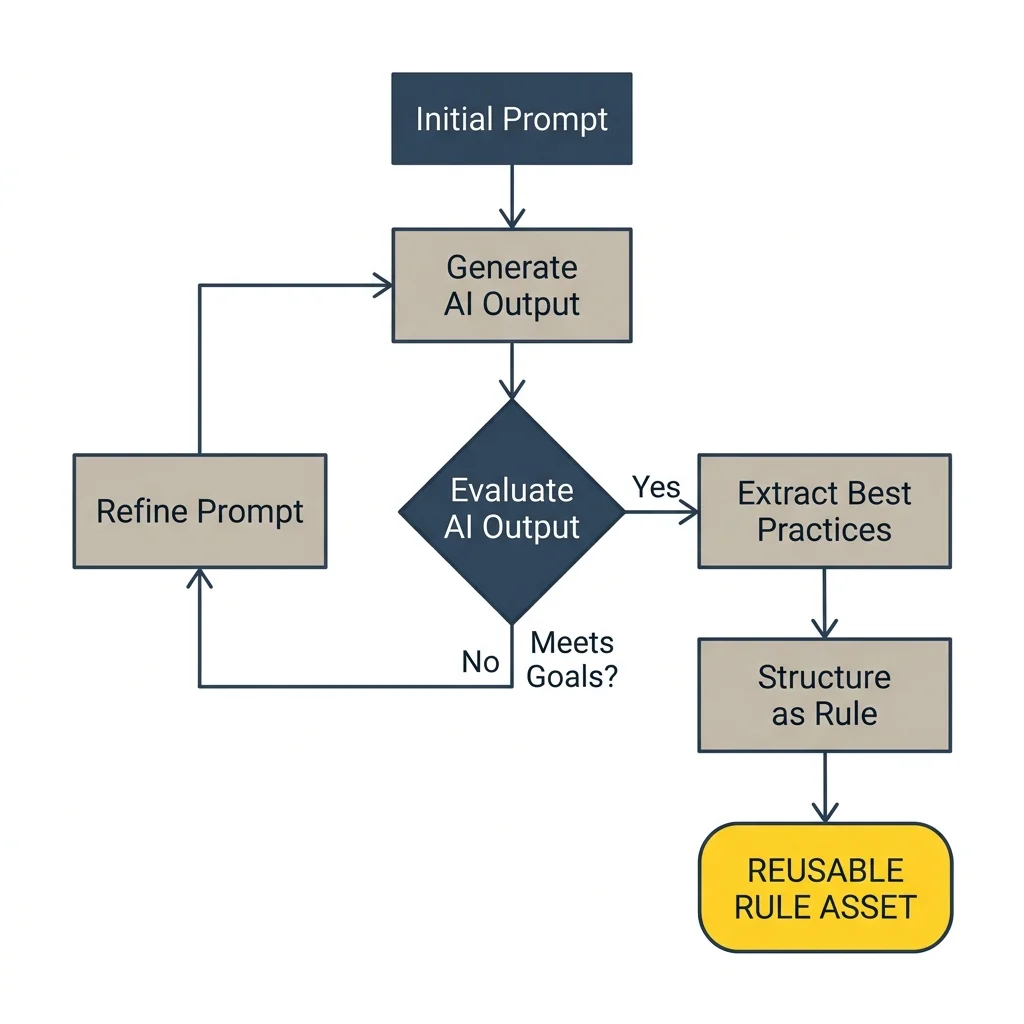
When the AI’s answer is too vague, you can look back at the collaboration spec to see if it lacks audience, purpose, constraints, or output format. Tone too strong? Add a line like “reduce conflict, save face for the other party.” Content not actionable enough? Require it to break suggestions into step one, step two, and step three.
Every modification to the Prompt is turning your work judgments into reusable collaboration rules.
This process itself is a kind of Bottleneck Shift1: after AI drastically lowers execution costs, the bottleneck shifts from “how to operate the tool” to “how to clearly define the problem, fully provide context, and calibrate the direction.” The latter relies heavily on an understanding of workflows, stakeholder relations, and risk boundaries, where technical operational ability is only a fraction.
From “Persona” to “Collaboration Spec”
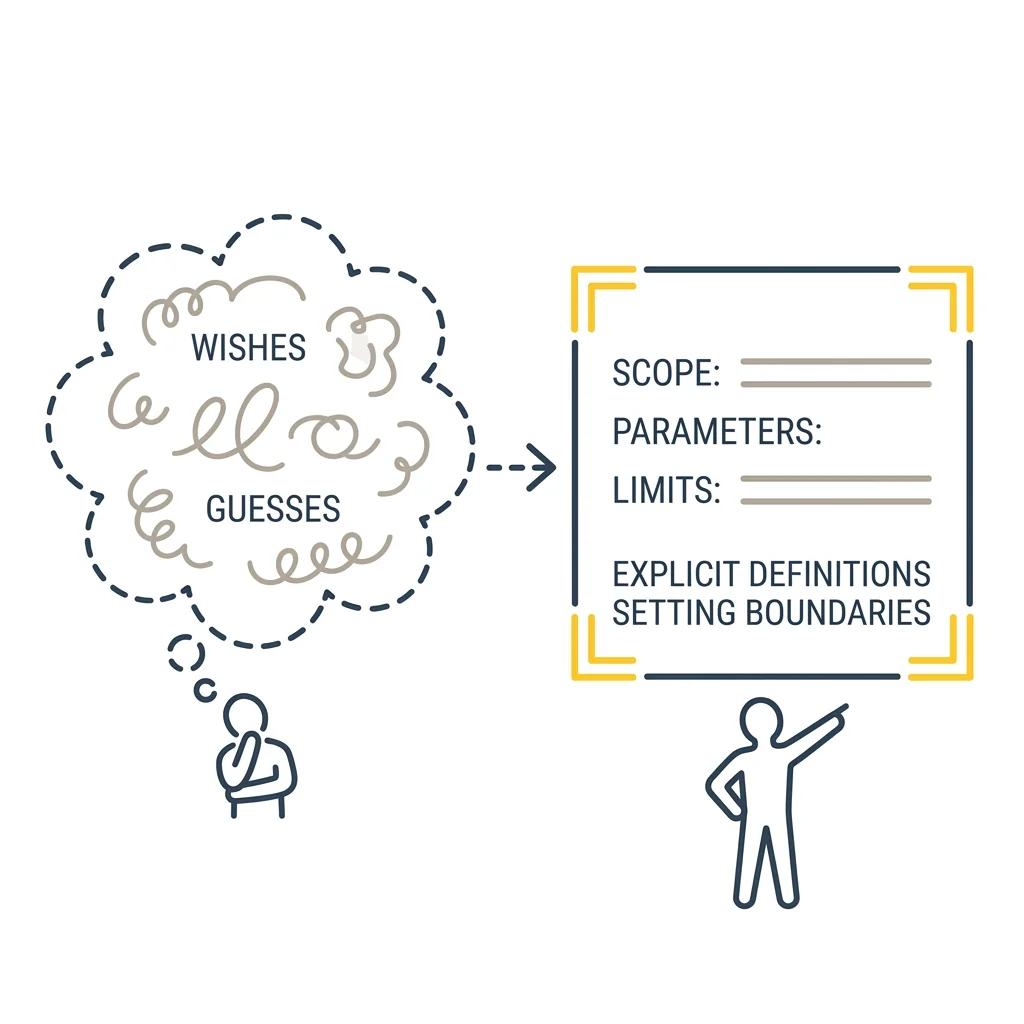
Rewriting a Prompt from a persona setting to a collaboration spec might look like adjusting words, but on a deeper level, it’s adjusting the responsibility allocation between you and the AI. Less expecting the AI to read your mind, more direct instructions: this is my work scenario, this is the output I want, these are the boundaries between us.
This is particularly important in an organizational environment. Many suggestions for AI adoption and process improvement are reasonable in themselves, but once the phrasing makes the people involved feel negated, the push gets stuck. Workflows usually carry risks, responsibilities, and historical context; seeing their function first before discussing how to adjust them lowers the resistance significantly. The security boundaries and interaction rules in the collaboration spec actually protect this organizational sensitivity.
It’s somewhat ironic: we often expect AI to act like a mature colleague, yet the material we give it is often just a slip of paper saying “please act professionally.”
Mature collaboration shrinks the space for guessing and makes responsibility boundaries clear.
Turning Work Judgments into Maintainable Assets
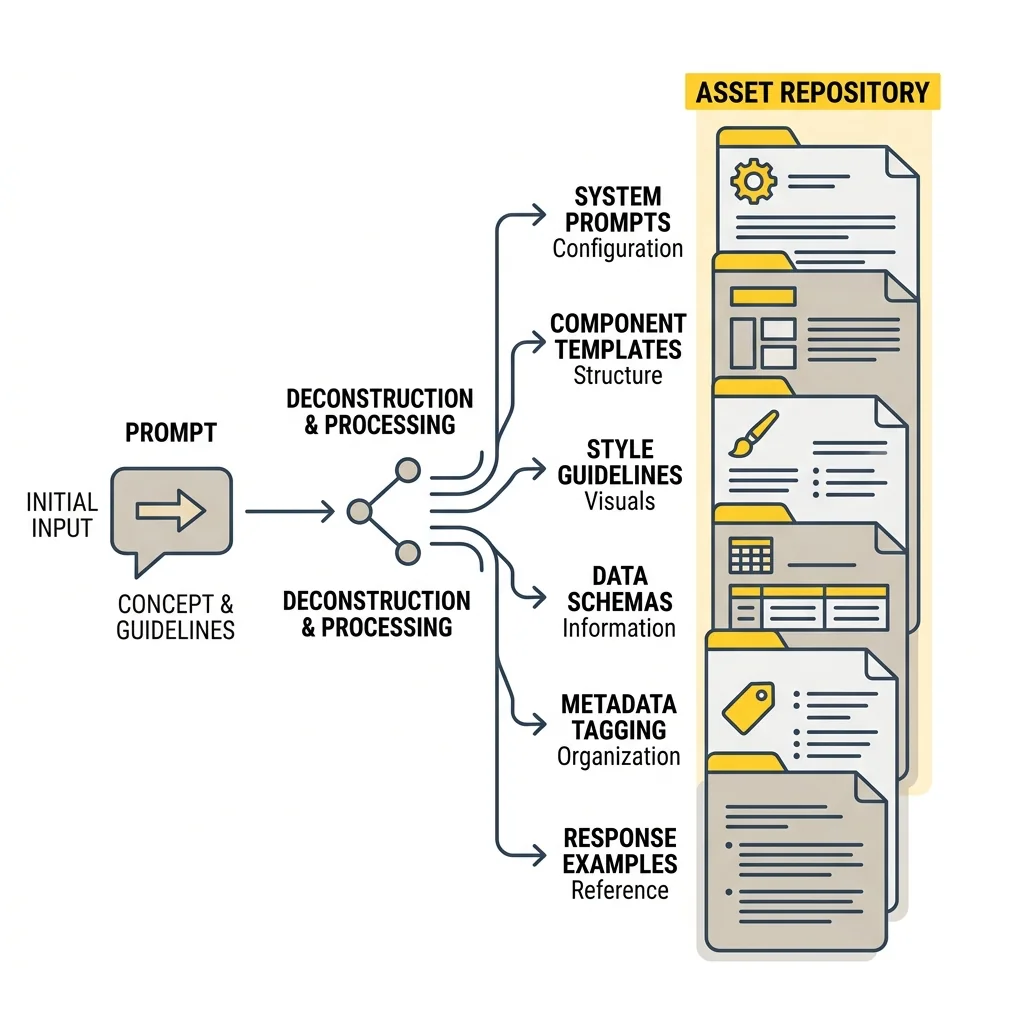
Mature AI usage treats the Prompt as a maintainable work asset. Every revision accumulates your understanding of your own workflow.
When you notice a clarifying question appearing repeatedly, you can write it into the collaboration spec; when you find a certain output format particularly useful, you can fix it. This sounds like discussing technology, but it’s more like organizing your own way of working.
This process also echoes the concept of Gradual Structural Reshaping2: progressively replacing old judgment mechanisms and collaboration habits in a risk-controlled environment. The maturity of AI collaboration includes tool proficiency, but it also includes turning “how to collaborate with AI” into an inheritable, adjustable capability within the organization.
If you are to keep a private AI secretary Prompt template, it can take a step forward from a pretty persona and become a continuously updatable collaboration spec. Like this:
“`markdown
You will assist me in handling: {Task Type}
My role is: {Your Job Role}
Common communication targets are: {Supervisor / Colleagues / Clients / Cross-departmental Contacts}
The purpose of this output is: {Pre-meeting Prep / Post-meeting Summary / External Email / Internal Proposal}
Please output in the following format:
– Key Takeaways
– Actionable Steps
– Questions I Need to Supplement
– Potential Risks
If information is insufficient, please ask me up to 3 clarifying questions first.
Please avoid asking me to provide company secrets, personal data, or unreleased commercial information.
“`
Extended Reading
- [[只要 3 分鐘,零程式基礎就能動手做自己的「私人 AI 秘書」]]
- [[AI 落地的第一步:拆解任務本質的四層結構]]
- [[判斷力經濟:當AI把產出成本歸零,誰來判斷對錯?]]
- [[建立 AI 秘書前一定要知道的資料安全與隱私邊界]]
-
Bottleneck Shift: When AI drastically lowers execution costs, the bottleneck shifts from “execution labor” to “the ability to define problems, calibrate directions, and judge quality.” This concept appears repeatedly in ArchCross’s observation framework to explain a common misconception in AI adoption—focusing resources on tool operation while neglecting problem definition and contextualization. ↩
-
Gradual Structural Reshaping: Progressively replacing old workflows, divisions of labor, and judgment mechanisms in a risk-controlled environment to avoid the high resistance caused by overthrowing existing practices all at once. ↩