

An internal enterprise AI application needs survey revealed something telling. The company had already provisioned general AI platform access, yet most employees stared at the blank dialogue box on their screens, unsure what to type first. What they actually wanted AI to help with was meeting minutes, document polishing, presentation outlines, and routine reports.
This observation points to a shift happening across many teams. Employees are indeed learning to use AI for meeting summaries, initial project reports, and email drafts. Content that once took three hours to write now generates a first draft in three minutes.
But behind the efficiency gains, teams aren’t getting breathing room. Many colleagues find themselves more exhausted at the end of the day than before. When typing and drafting time gets compressed, the saved hours are quickly refilled with more frequent tool switching, higher-density content proofreading, and endless boundary checking.
Gartner’s 2026 HR AI priorities report identifies that enterprises adopting Generative AI are widely facing a productivity paradox 1. While individual draft generation speed has accelerated significantly, without a redesigned operating model and communication mechanism, this speed transforms into large-scale work noise, subjecting entire teams to higher cognitive load and information decoding costs.
When Drafting Gets Cheap, Attention Becomes the First Hidden Cost to Overload
As AI lowers the barrier to producing text and information, the main bottleneck shifts from a lack of content to attention being unable to carry the flood of information.
In the old workflow, writing a project proposal required data collection, structuring thoughts, and writing word by word. This time cost itself served as a filtering mechanism, forcing the proposer to screen and refine before writing. Now, AI can produce a well-structured thousand-word draft in seconds.
Large volumes of insufficiently thought-through and unrefined generated content thus get pushed into communication channels. Recipients and managers often face lengthy AI-generated reports lacking clear viewpoints, with key takeaways left for readers to fish out themselves.
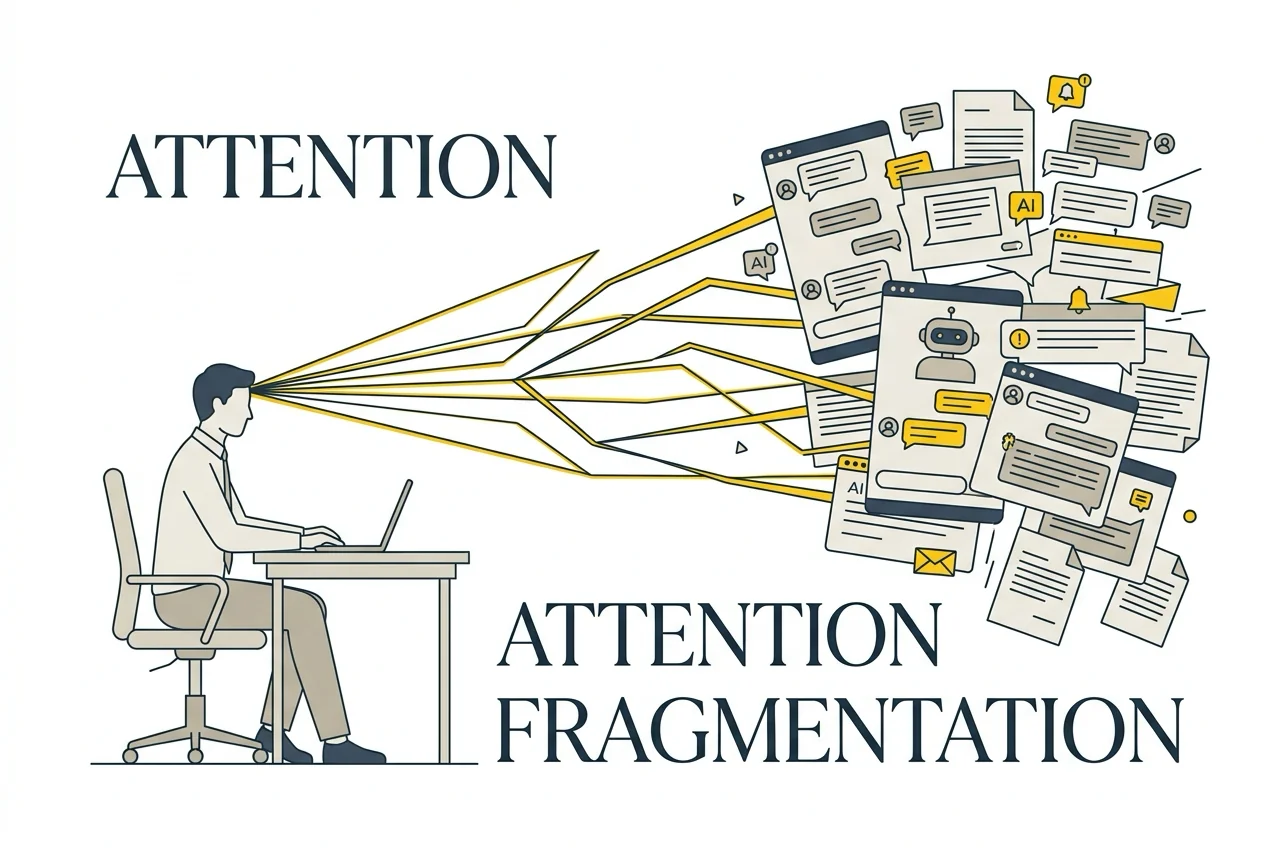
Microsoft WorkLab’s Work Trend Index points out that knowledge workers frequently switch between AI windows, communication software, and traditional workflows throughout the day, causing severe attention fragmentation 3. Employees navigate between multiple tool windows and chat pages, each switch requiring context rebuilding.
On the surface, colleagues are processing more emails and documents. In reality, these constant micro-interruptions significantly consume individual cognitive resources, making deep problem-solving and core decision-making difficult to sustain.
SHRM’s 2026 survey shows that up to 83% of knowledge workers experience workplace fatigue and cognitive overload 2. This fatigue often comes not from workload volume, but from work rhythm being fragmented by a stream of fragmented, real-time AI outputs. Once drafting becomes cheap, the costs of reading, filtering, and understanding are transferred to the recipient.
From Typing to Debugging: The Burden of Algorithmic Vigilance and Defensive Review
Beyond attention fragmentation, the second layer of cognitive burden comes from the role shift toward defensive debugging and algorithmic vigilance.
Employees shift from content creators to reviewers and debuggers of AI output. This shift appears to reduce physical effort, but demands higher psychological intensity.
The GAIE framework paper identifies that the uncertainty and potential hallucinations of Generative AI output force users to maintain sustained high-intensity algorithmic vigilance 4. Reviewing an AI-produced document is often more mentally draining than writing from scratch. Reviewers must stay alert to every data point, proper noun, and logical inference, preventing critical errors hidden within seemingly fluent drafts.
As long as the organization’s penalty mechanism still falls on the person who clicks “send,” employees will adopt defensive review strategies. To avoid endorsing AI hallucinations, colleagues must cross-check original regulations, verify source data, and even recalculate spreadsheet figures.
The labor hours spent on this defensive debugging often exceed what manual writing would have taken. The harder part is that this kind of review work demands high concentration and domain knowledge. Prolonged exposure to this vigilance state accelerates psychological depletion.
Trust across departments also frays as information volume expands. When business units know a proposal was rapidly generated by AI, their assessment of its rigor drops; when managers know a report contains large amounts of AI summaries, the back-and-forth for repeated verification and supplementary conditions increases. The speed gain from tools gets offset by mutually defensive verification mechanisms within a trust-deficient communication chain.
Rebuilding Communication Boundaries: How to Build Attention Protection Mechanisms for Teams
The key to solving attention fragmentation and debugging fatigue is neither banning AI nor rolling out more prompt engineering training. Organizations need to redesign communication and review mechanisms to set reasonable cognitive boundaries for employees.
Management and HR can build protection from three mechanism dimensions. These apply best to knowledge teams with high information density and frequent cross-department communication; for organizations still in low AI-usage phases with scarce communication volume, rushing to set thresholds may instead slow down collaboration.
First, establish a convergence threshold for generated content — don’t push raw drafts to communication recipients.
Organizations should mandate that any AI-assisted document must go through human refinement, with no more than three points of personal judgment and core argument provided at the top. Directly using full-length AI-native output as meeting discussion materials should be prohibited. When delivery standards emphasize thoughtful judgment rather than draft length, employees will naturally use AI to help converge thinking rather than generate information noise.
Second, clearly delineate the boundary between AI-assisted zones and human sign-off responsibility.
Teams should audit high-frequency AI application scenarios in daily workflows, clearly defining which items fall under high-tolerance brainstorming and preliminary sorting, and which are high-risk decision gates requiring mandatory human review. For high-risk gates, give employees sufficient time for verification, and treat the identification of AI logic flaws and hallucinations as a valuable professional contribution rather than a progress-blocking behavior.
Third, design interruption-free blocks to protect deep work time.
To prevent frequent tool switching and message responses from crowding out deep thinking, teams can agree on specific work hours where instant message replies and tool-switching requests are suspended. This allows employees to focus on core business and deep decision-making during concentrated periods, reducing the psychological fatigue accumulated from prolonged algorithmic vigilance.
AI tools have brought unprecedented output capacity, and with it, unprecedented attention management challenges. When execution and typing time is compressed, what truly separates organizations is not who can produce drafts faster, but who can protect their team’s attention and channel limited mental resources toward the most valuable judgment and decisions.
Try This at Work
- Review this week’s meeting materials and reports. Flag which documents are AI-generated long drafts, and require all future AI-assisted documents to include three core judgment points personally revised by the author.
- Within your team, audit colleagues’ switching frequency between AI tools and defensive debugging checkpoints. Identify the communication nodes most prone to attention fragmentation and set response time buffers.
If you’re dealing with similar team cognitive load issues, you can find more methods and observations on human-AI collaboration in Field.
References
Further Reading
- The Motor and the Old Belt: Cognitive Traps in Enterprise AI Transformation and the 50-30-20 Breakthrough
- The Efficiency Trap: When AI Boosts Productivity, Why Do Organizations Settle?
-
Gartner, “Gartner Identifies Top HR Priorities for 2026,” 2026-06-04. Analyzes the productivity paradox and work noise (Workslop) impact on employee cognitive load after AI adoption. ↩
-
SHRM, “Navigating AI Workload Creep and Employee Burnout in 2026,” 2026-06-04. Identifies how AI output increases lead to workload creep and multitasking-induced fatigue. ↩
-
Microsoft WorkLab, “The Context Switching Toll in the AI Era: Work Trend Index,” 2026-05-27. Reveals the impact of tool-switching frequency on knowledge workers’ attention and comprehension. ↩
-
GAIE Framework Working Group, “Governed AI-Assisted Engineering Framework for Agentic Workflows,” 2024-12-12, Academic paper. Studies cognitive overload caused by Generative AI output uncertainty and verification debt. ↩
Frequently Asked Questions
Why do teams feel more exhausted after AI adoption?
When AI compresses typing and drafting time, the saved hours are refilled with tool switching, content proofreading, and boundary checking. The costs of reading and filtering are transferred to recipients, causing cognitive overload to increase rather than decrease. What is defensive debugging? | Employees shift from content creators to AI output reviewers, needing to stay alert to every data point, proper noun, and logical inference to prevent critical errors hidden in fluent drafts. This sustained algorithmic vigilance is more mentally draining than writing from scratch. How can teams reduce attention fragmentation? | Organizations can build three layers of protection: 1 Require AI-assisted documents to undergo human refinement with core judgments attached, prohibiting raw long-form drafts; 2 Clearly delineate AI-assisted zones from human sign-off responsibility boundaries; 3 Design interruption-free work blocks to protect deep thinking time. How does attention fragmentation affect cross-department collaboration? | When business units know proposals are AI-generated, assessment rigor drops; when managers know reports contain extensive AI summaries, back-and-forth verification increases. The speed gain from tools gets offset by mutually defensive verification in trust-deficient communication chains. What types of teams are the three recommendations best suited for? | Knowledge teams with high information density and frequent cross-department communication. For organizations in low AI-usage phases, rushing to set thresholds may slow down collaboration.


