Talking AI, Blocking AI — The Three-Way Cognitive Gap Between CEOs, IT, and Frontline Workers
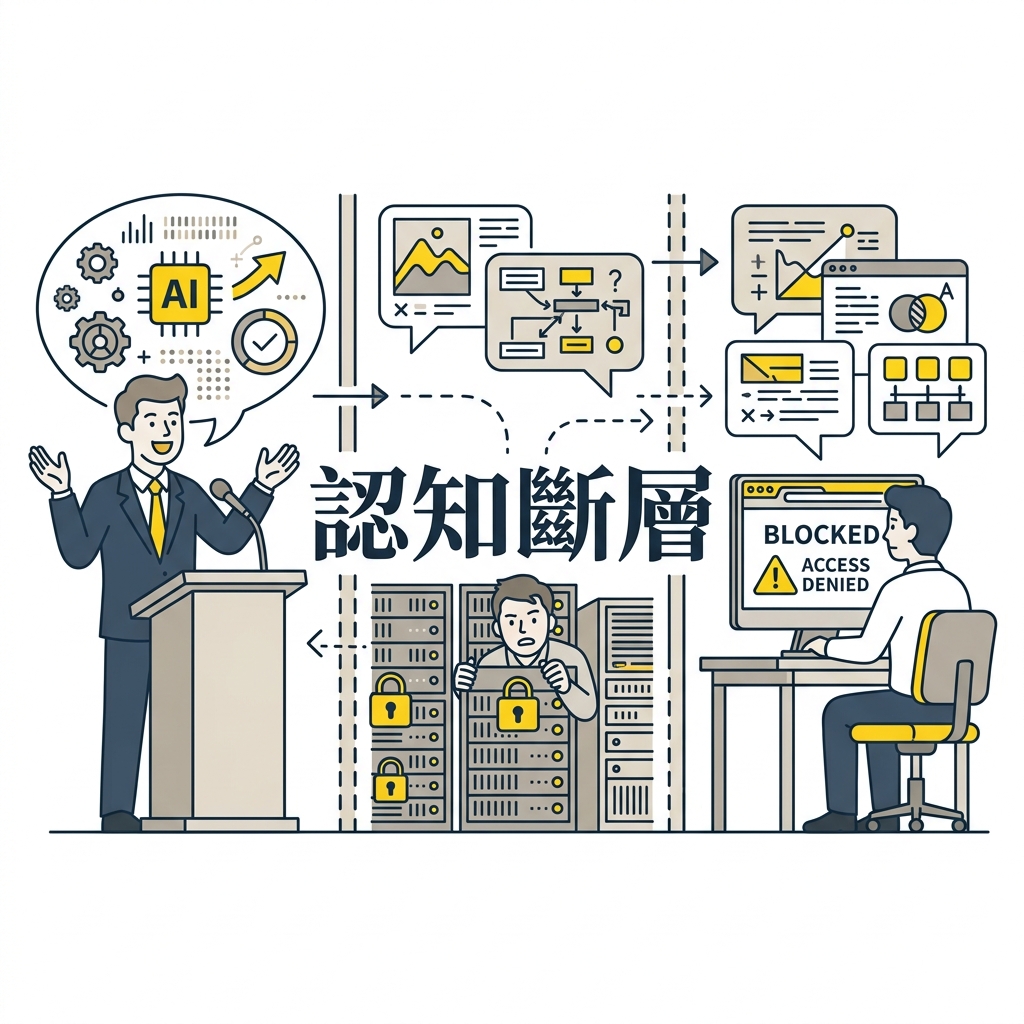
Does this sound like your company? The CEO declares “AI first! Full speed ahead!” at the earnings call. In the strategy meeting, every executive raises their hand: “Full support, no reservations.” “Budget is not the issue.” Everyone shakes hands, nods, and leaves in high spirits.
Then you sit back down at your desk and open your browser.
ChatGPT — blocked, please contact IT. Claude — blocked. Gemini — blocked. Try a few more; same result. Nearly every AI site is blocked. The only AI tool available? M365 Copilot — Microsoft’s enterprise AI, bundled inside the ecosystem.
Fine, let’s use Copilot. You feed it one file, two, three — by the fourth, you hit a limit. Then you ask: “Can you analyze TSMC’s revenue report?” Copilot responds with a canned message: “Sorry, I can’t continue on this topic. Let’s talk about something else.” Analyzing a publicly available earnings report triggers content moderation?
You have AI in hand, but this AI hasn’t made work easier — honestly, it’s not powerful enough. It’s not the native model provider’s AI, after all. Meanwhile, some companies are already offering “compute freedom” with tools like Codex or Claude Code. You gather your courage and call IT: “Does the company have an enterprise Claude license?” Two seconds of silence on the other end: “Claude? … What is that?” The conversation is over before it starts.
Alright, skip IT. Go straight to the boss. “Boss, can the company procure Claude — including Cowork and Claude Code — and install it in our work environment?” The boss frowns: “Don’t we already have Copilot? It’s all AI, right? What’s the difference?”
You return to your seat. The earnings call rhetoric, the executive hand-raising, the browser full of blocked sites — the ideal and the reality exist in parallel universes.
Think about it carefully: everyone’s words are reasonable. Information security needs to guard the data boundary, so they block external services. IT bears the blame for system incidents, so they only dare procure items on the approved list. The boss is chased by KPIs and can only care about “did we buy it or not.” Without having personally used these tools, they naturally can’t distinguish between them — all they can do is encourage everyone to use what’s available. So every role does reasonable things within their own reasonable framework — but no one stands high enough to see the full picture.
This is the pain point every organization faces during transformation. Talking full speed ahead, feet barely moving. Everyone uses the old-era “procurement mindset” to respond to a paradigm shift that requires “process redesign.” Mechanisms designed to protect data gradually become mechanisms that block change, and the engine of transformation quietly stalls.
The Vision Is Right, Resources Are Available — Why Still No Results?
Honestly, most companies get the directional judgment right. Executives genuinely recognize the company’s obligation to provide the right tools — to empower, to equip employees with the ability to work with AI. These words are spoken sincerely in meeting rooms, and the strategies on the slides look quite impressive.
But why does nothing seem to happen once everyone walks out of the meeting room? The key is that the meeting room’s understanding of AI often stops at the tool procurement level.
What they’re really thinking is: AI is a tool. Like ERP, like Office — once procured and deployed, the job is done. A cross-regional survey of 1,200 C-suite executives and 1,200 employees confirms this: 75% of senior leaders admit their AI strategy stays at the external display level, lacking a true roadmap for internal action, and 39% have no formal revenue plan 1. Employee confidence in their company’s AI strategy dropped from 47% in 2025 to 31% in 2026 1.
One CEO stated plainly at an AI strategy meeting: “I don’t need AI. My executive assistant and secretary handle everything.” From the vantage point of his position, this reflects a genuine work experience: he has a comprehensive human support network — documents compiled by assistants, schedules managed by secretaries, information fed on schedule. However, this elaborate human safety net becomes a cognitive barrier, cutting off his opportunity to personally experience technological change. To him, AI is just a trending tech buzzword, limited to that “question and answer” chat box — essentially the same as delegating to a secretary, just with a different interface. Having heard about it but never used it hands-on means senior leadership can’t feel what AI can do at the workflow level. A decision-maker whose understanding of AI stops at “knowing it exists” can’t know where to lead next.
To be fair, Q&A knowledge-based AI is genuinely useful for CEOs — brainstorming strategy directions, summarizing meeting notes, quickly consulting industry trends — these are all “talk, don’t touch” scenarios where a chat box is sufficient. But the problem lies precisely here: the CEO’s use case is fully satisfied by conversational AI. He inherently doesn’t need to make presentations, run data analyses, or write code himself. So in his experience, conversational AI is all AI has to offer. He can’t distinguish between “conversational AI” and “agentic AI that can act on your behalf” — the former gives advice, the latter executes.
Ironically, the person who announced the company’s full commitment to AI empowerment is the same CEO. So everyone below starts thinking the same question: How do I complete what he’s assigned? Courses are scheduled — how to use AI for presentations, meeting notes, charts, PPT optimization, Excel organization. Town halls are held, executives take turns pledging support, and employee attendance records are filed. The organization starts moving, and the “AI Empowerment Headcount” column on the KPI sheet gets checked off. But no one ever brings up the most essential thing: how to truly integrate AI into workflows and redesign the entire work process from scratch. Because in the highest-level cognitive framework, no one realizes this is what matters most.
Comparing with companies that have truly gotten it running, one key difference is whether decision-makers have formed first-hand usage experience. Shopify’s CEO Tobi Lütke has incorporated AI usage into baseline expectations and performance evaluation; Nvidia’s Jensen Huang has also publicly driven strong employee AI adoption. Whether leaders have personally used AI and seen results directly impacts the quality and direction of organizational initiatives. A CEO who has never practiced AI hands-on might be able to say “AI first,” but can’t articulate “what AI could transform in this specific process.”
Once a decision-maker understands AI only through limited usage experience, the ceiling the organization can reach is “buy a chat box for everyone.” As for AI’s ability to restructure processes, automate task execution, and even become the execution layer of productivity? These possibilities never enter the decision-maker’s consideration in the first place.
Chat Boxes and Agents Are Two Completely Different Worlds
Let’s break this down clearly.
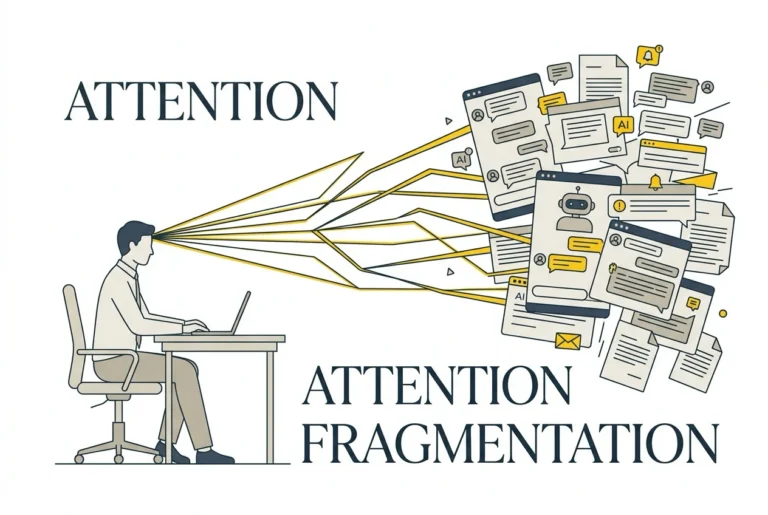
Most enterprises currently imagine AI as “a smarter document assistant” — summarize, rewrite, translate, that’s it. Confining AI to a chat box massively compresses its leverage. Individual efficiency does improve, but enough to shake the productivity foundation of the organization? Not even close.
What conversational AI does, frankly, is “give advice” and “generate content.” It produces a paragraph of text for you, and then what? You copy it, paste it where it needs to go, adjust formatting, save, upload. This is still manual labor at its core — just with a smarter clipboard.
Agentic AI does something entirely different. It opens files for you, edits content, saves, uploads — handling the entire workflow end to end. You define the logic; it handles the execution. Take Anthropic’s Claude Cowork as an example: it can execute multi-step knowledge work on behalf of users. Claude Code can read entire codebases, make cross-file modifications, run tests through to delivery. These tools have stepped beyond “conversation” into “acting on behalf.”
The real differentiator has nothing to do with brand strength. Copilot has Agents, Copilot Studio, and Power Platform; Claude has Cowork and Code; Gemini is also positioning for enterprise collaboration. The key question is: what kind of AI capability did the organization actually procure? Chat assistance, enterprise knowledge collaboration, code and process automation, decision nodes, or process agents with authorization boundaries? If only the “chat” layer was purchased, yet the organization expects a qualitative leap in productivity — that expectation itself is misaligned.
When an organization fixates on the chat box, it’s actually using expensive human labor to bridge the last mile between technology and process. Once work patterns ossify, these expensive tools ultimately become more sophisticated typewriters.
What About IT? Doesn’t Anyone in the Company Understand?
You might think: surely someone in the company gets it, right? Isn’t that what the IT department is for?
Let’s be fair first. Most non-tech-industry IT departments have long been tasked with maintaining stability, managing risk, and ensuring zero downtime. Their KPIs have always been “fewer incidents” — evaluation criteria are “availability” and “compliance,” while “proactively exploring new productivity” has never been a line item. This KPI design isn’t inherently wrong, but when AI shifts from being a tool to being a force for workflow restructuring, the traditionally reactive service model starts to strain. Outside of tech-industry IT, which must actively develop new products, IT departments in other industries within this structure almost always “wait to be invited.”
So when the AI wave hits, IT’s first reaction is often: Has anyone submitted a request? Is there budget? Is there a specification document? If not, then we don’t move. This reaction is perfectly reasonable — because the system trained them exactly this way.
What about the IT Head? Technology trends? The IT Head is certainly tracking them. But a company’s IT Head has long since left the front lines of development, spending more time managing the organization, thinking strategy, controlling budgets, and coordinating resources across departments. They haven’t been using these tools themselves — haven’t personally opened Claude to write code, haven’t run an automation workflow with an Agent. The information is being consumed, but the hands-on feel is completely blank.
An IT Head who has never used AI — how can they judge positioning differences between tools? How can they explain to the boss why Copilot isn’t enough? How can they advocate for something whose value they themselves can’t articulate?
The People Who Need AI Most Are the Quietest
Look further down the ladder. The people handling massive volumes of documents, drafting official correspondence, and preparing presentations for their managers every day — that’s this group. They’re the roles with the strongest AI demand in the organization, and the ones who stand to benefit most.
Among this group, there are certainly talented individuals. They know Codex, know Claude, know what agentic AI can do. They actually understand — they just choose not to speak.
Why? Because the last time someone tried to explain to their manager “why we need a different AI tool,” the response was: “What’s the difference between the two?” Or simply: “Isn’t it all AI?” The same cross-national survey reveals an identical structure: 55% of employees believe they understand AI better than their managers (64% for Gen Z), and only 35% see their managers as AI advocates 1. The invisible resistance of hierarchical structures is enough to make most people abandon the idea of proactively raising concerns.
Even more challenging is another type of manager: one who has read a few AI analysis reports, attended a couple of themed salons, and feels they’ve already grasped the direction. This situation can sometimes be trickier than “doesn’t even know what Claude is” — because they enter with an anchoring sense of “I already understand this.” The moment an employee opens their mouth, the manager takes over: “I’m clear on this — our company’s layout is like this…” Listening while negating, until even the opportunity to explain is cut short. Questioning becomes interrupting, and the employee is left with one conclusion: bringing this up is pointless.
Moreover, explaining “conversational AI and agentic AI are completely different worlds” to a manager who has never used these tools is inherently extremely difficult. People who understand the technology may not be able to explain the difference in a way management can grasp; those who can explain it clearly may not be willing to bear the pressure of “challenging their superior’s understanding.” Even when someone does muster the courage to report an issue, the survey also notes that 30% of employees don’t feel they can safely report AI errors and risks — because they worry about retaliation or being labeled a troublemaker 1. So human nature prevails: most choose to stay silent.
After staying silent? Either bring your own laptop, tether to your phone’s hotspot, and use AI quietly. Or simply go to a company where you can use it.
The organization spends massive budgets procuring AI, yet ultimately forces employees to resort to the most primitive workarounds — or even loses the talent most actively embracing change. People with practical experience lack a channel to speak; those who hold procurement and governance authority lack frontline feel. The information gap plus the authority gap — that’s exactly where AI adoption stalls across the entire organization. Everyone’s uncomfortable, but no one speaks up.
So What Now? A Five-Stage Maturity Model
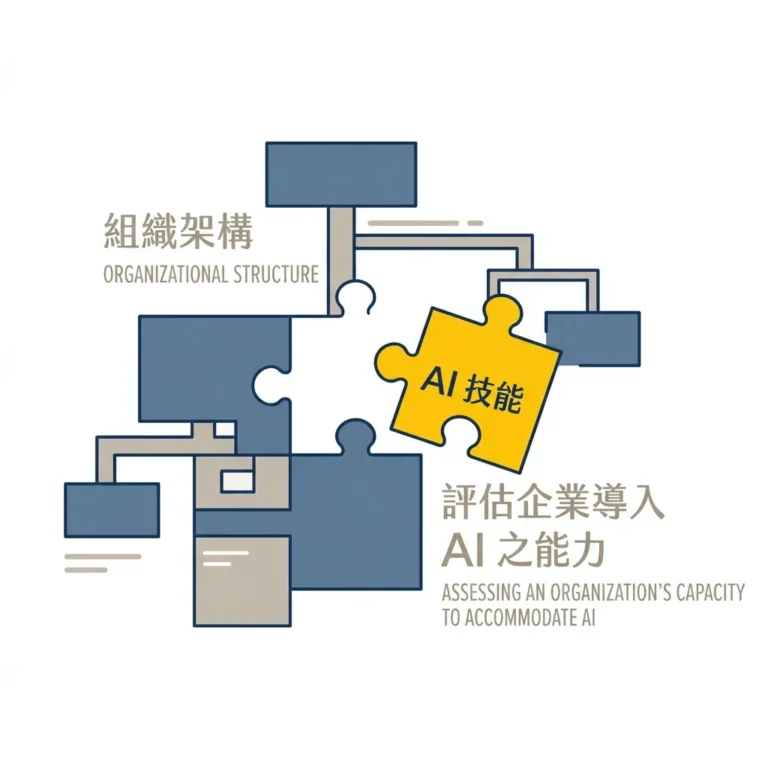
Break AI application maturity into five stages. Companies need to first figure out which level they’re currently on, then they’ll know what to do next and what tools to procure.
Security blocking has its legitimacy — the problem is having no follow-up plan after blocking. From “chat box” to “workflow agent” is a distance that can’t be leaped in one step; you have to climb up in sequence.
The following five-stage model integrates NIST AI RMF, Microsoft Responsible AI Standard, Copilot governance specifications, RPA intelligent automation, and Agentic AI adoption research. The key message in one sentence: respect the system, upgrade with rhythm.
Stage 1: Individual-Level “Chat Assistance”
The opening move for all AI applications: an employee asks, AI answers. Summarize a report, translate a letter, brainstorm a presentation structure — this is the lowest-threshold AI interaction and the universal starting point for organizational AI adoption.
But if even this layer is blocked, with no alternative solutions, application processes, or audit channels in place, employees will still find their own path for efficiency: personal accounts, phone hotspot tethering, bypassing company controls to use unauthorized AI services. Shadow AI grows from here 2, and the associated costs of data leakage and governance risks rise with it.
Stage 2: Scenario-Based “Contextual Knowledge”
Stage 1’s AI is generic — it can chat about anything but knows nothing about your company. Stage 2 is about “grounding”: connecting the enterprise knowledge base so AI can answer questions based on company documents, policies, and SOPs; or using carefully crafted prompts to drive purpose-specific AI for high-frequency tasks — contract preliminary review assistants, new employee onboarding guides, customer service Q&A bots — transforming AI from a generic assistant to a contextual task executor. This is also often the stage where organizations are most likely to encounter bottlenecks, with obstacles typically coming from two places.
The first is a misguided imagination of what a “knowledge base” means. I’ve encountered someone pointing at a PPT saying: “This is our knowledge base.” That PPT was well-organized, clearly categorized, with highlighted key points — perfectly crafted for human consumption. But what AI needs is queryable, structured data with access control boundaries — fundamentally different from summaries organized by humans for humans. That colleague felt fully prepared, but hadn’t even aligned on where the starting line was.
The second is that existing permission chaos gets amplified. AI inherits users’ existing access permissions; if the company’s file permissions are already messy, AI will helpfully surface things that shouldn’t be seen (Oversharing) 3. In other words, AI exposes the permission management problems you’ve been hiding in corners. Whether this stage can be navigated smoothly depends on first getting data classification and access controls in order.
Stage 3: Rule-Driven “Task Automation”
The core of this stage is converting highly repetitive, low-variance, clearly rule-defined work into executable, monitorable, and traceable automated processes. Tool choices are plentiful: RPA, Power Automate, API integrations, Python scripts, low-code platforms — determined by the organization’s technical conditions and IT governance framework. AI’s role is to help users describe processes, organize rules, produce prototypes, and supplement documentation, lowering the barrier to automation design — enabling more people to articulate needs and making it easier for IT to review and operate.
Previously, automating a repetitive task required employees to first write a detailed requirements specification, submit it to IT, have IT write the code, and only then could automation run. IT resources are limited, and the queue of requests is too long for timely processing. Now, employees can describe in plain language: “I want to automatically pull this report every morning, format it like this, and send it to these people.” AI helps organize the requirement into executable specifications or prototypes, which are then handed to IT for review and deployment 4. The design threshold drops, but the deployment process isn’t bypassed — this is the key to whether this stage can be rolled out across the organization.
The prerequisite is that process rules can be clearly articulated. Automated processes are fixed logic — the same input must produce the same result a hundred times over. In organizations lacking process documentation, many operations rely on Old Zhang’s mental experience, which can’t be clearly described or written down — and automation adoption often stalls right here.
Stage 4: In-Process “Decision Nodes”
Stage 3 runs on fixed rules; Stage 4 handles judgment. Within automated workflows, some nodes can be handled by rule engines alone — amount exceeds threshold, fields are incomplete, condition met triggers directly. But another class of nodes can’t be resolved by rules: whether contract clauses carry potential risks, how well a resume fits a position, what category a customer complaint falls into, whether a compliance concern needs escalation — these require reading semantics and understanding context, which is where AI truly adds value. The division of labor: fixed conditions go to the rule engine, semantic judgment goes to AI, ambiguous cases escalate to humans.
What about the human role? It shifts to two things: first, review — after AI makes a judgment, humans confirm whether the result is reasonable and whether it needs to be overturned; second, exception management — when AI can’t judge or its judgment is clearly problematic, humans take over. This division liberates people from “having to personally review every single item” to focus on cases that genuinely require human intervention.
Reaching this step, organizational governance maturity faces its real test: Who is responsible for review? How are exceptions defined? Who bears responsibility when AI makes a wrong call? These “human oversight” mechanisms must be established before going live 5. Another easily overlooked risk: model performance drifts over time. What’s accurate at launch may quietly lose accuracy six months later, creating invisible business risk 6.
Stage 5: Autonomously Executing “Workflow Agents”
In the first four stages, AI waits for human commands. Stage 5 is different — AI autonomously plans and executes multi-step tasks within authorized boundaries, while humans set objectives, define boundaries, and confirm results.
This is what’s now called Agentic AI. You tell it: “Track these vendor contracts, send notifications 30 days before expiration, compile reports, and update the system.” It plans the steps, executes in sequence, and completes the task 7. But making this actually work requires more than clearly stated tasks. Agents also need tool permissions, data sources, system APIs, identity management, approval nodes, rollback mechanisms, and execution logs to operate autonomously in a controlled environment — every action has a corresponding authorization boundary, and when issues arise, there’s an audit trail to follow.
This is currently the highest-leverage form of AI application and the direction the entire industry is rapidly developing. But the reality is that most enterprises are still very unfamiliar with Agentic AI — they don’t know what it can do, aren’t sure where the boundaries are, and lack corresponding governance frameworks. This cognitive gap is the biggest obstacle at Stage 5.
Technology being capable doesn’t mean the organization is ready. Who has the authority to authorize AI actions? To what extent? How do you trace back when errors occur? These questions all require “dynamic audit” mechanisms as safeguards 8. Not every process is suitable for this level, and over-agentification can create new accountability black holes — the greater the authorization, the higher the risk when governance can’t keep up.
At Stage 5, the human role transforms: previously running every step by hand, now setting tasks, defining boundaries, and confirming whether results have gone off track. The work still exists — only the role shifts from executor to supervisor. Organizations that reach this point share one common trait: at every level, people have clearly determined which things should be done by AI and which still require humans.
Competition Is Fundamentally About Cognitive Quality
Over the coming years, what truly separates enterprises is the speed of cognition. Everyone can buy tools, but those who can clearly see what AI is, what it can do, and which stage their organization currently stands at — they’re the ones who can get the next step right.
The five stages may look like a technology roadmap, but the real threshold at each level is cognition. Action comes after. The sequence can’t be skipped.
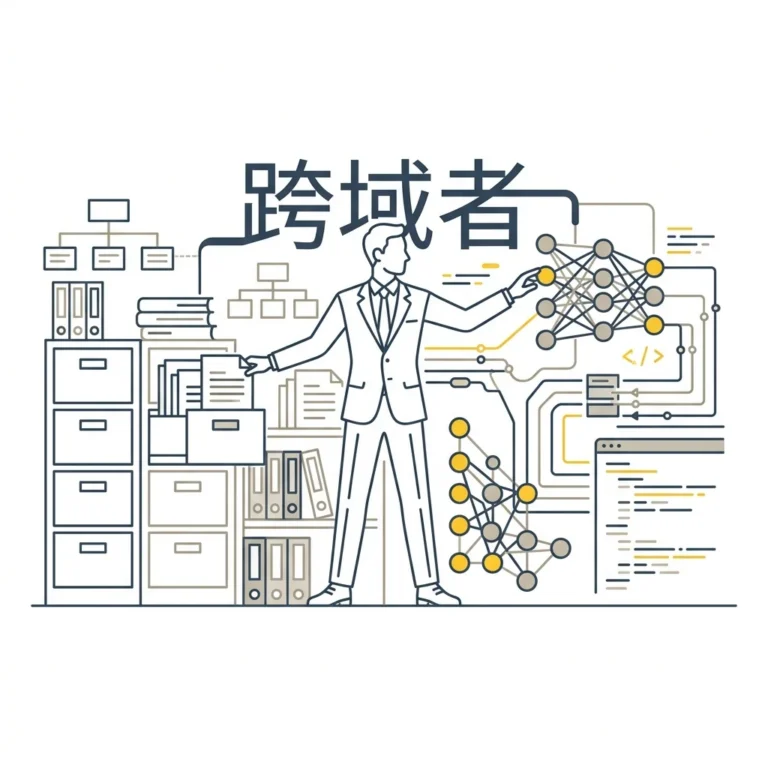
The most pragmatic starting point is letting the people who already understand within the organization move first.
Every organization has AI pioneers — people who are already using, have already seen results, and know the differences between tools. They’re mostly silent right now, because every time they offer a suggestion, they may encounter invisible communication friction. What managers need to do right now is pause using their existing judgment framework, create the space first — let these people speak, let them act, let results speak.
The cost of this is zero. All it takes is temporarily setting aside the thought “I’ve already got the direction figured out” and genuinely receiving a need from the frontline for once.
The starting point is simple: pick a few work scenarios that seem viable, and within compliance boundaries, try rethinking the process with AI brought in. No need to wait for the whole company to be ready, no need to wait for strategy finalization — just start with what’s at hand.
Blocking AI can hold the line on risk, but the practical results that AI pioneers bring back — those are the raw materials for the organization’s cognitive upgrade.
The key to enterprise AI adoption is building a controllable application pathway: which data can enter AI, which tasks can be automated, which judgments require human review, which actions can be delegated to agents. Blocking is the starting point of risk management; governance is where transformation truly begins.
-
Writer and Workplace Intelligence “2026 AI Adoption in the Enterprise” survey, conducted December 17, 2025 – January 25, 2026, interviewing 1,200 C-suite executives and 1,200 employees across the US, UK, Ireland, Benelux, France, and Germany (all active AI users), as reported by HR Executive “Sabotage, silence and strategy ‘built for show’: 5 AI adoption myths.” ↩↩↩↩
-
Cisco 2025 Cybersecurity Readiness Index notes that 60% of respondents lack confidence in identifying unauthorized AI tools; IBM Cost of a Data Breach Report 2025 further shows shadow AI-related breaches average $4.63M, $670K higher than typical incidents. ↩
-
See Microsoft Purview DLP for Microsoft 365 Copilot and Microsoft 365 Copilot data protection architecture documentation. ↩
-
See IBM’s definition of RPA (What is Robotic Process Automation (RPA)?). ↩
-
See NIST AI Risk Management Framework (AI RMF 1.0) and Microsoft Responsible AI Standard v2. ↩
-
NIST AI RMF Playbook describes AI system drift and recommends continuous monitoring mechanisms. ↩
-
McKinsey “The State of AI 2025: Agents, innovation, and transformation” notes 23% of organizations have scaled agentic systems, with another 39% in pilot. ↩
-
Deloitte “Managing the new wave of risks from AI agents in banking” highlights goal drift, unauthorized actions, and the need for dynamic auditing mechanisms. ↩